
Benefit 01
Forecast from live bookkeeping context
Use your Xero data as the foundation for rolling cashflow forecasting and faster planning conversations.
Bring your Xero data into CloudFO so you can forecast cashflow, model scenarios, and explain the numbers without rebuilding everything in spreadsheets.
01
Use current accounting data as the starting point for planning.
02
Move from month-end reporting to forward-looking decisions.
03
Package clearer insights for clients and internal stakeholders.
Accounting integration

Use connected source data as the starting point for forecasting, scenario planning, and clearer decision support.
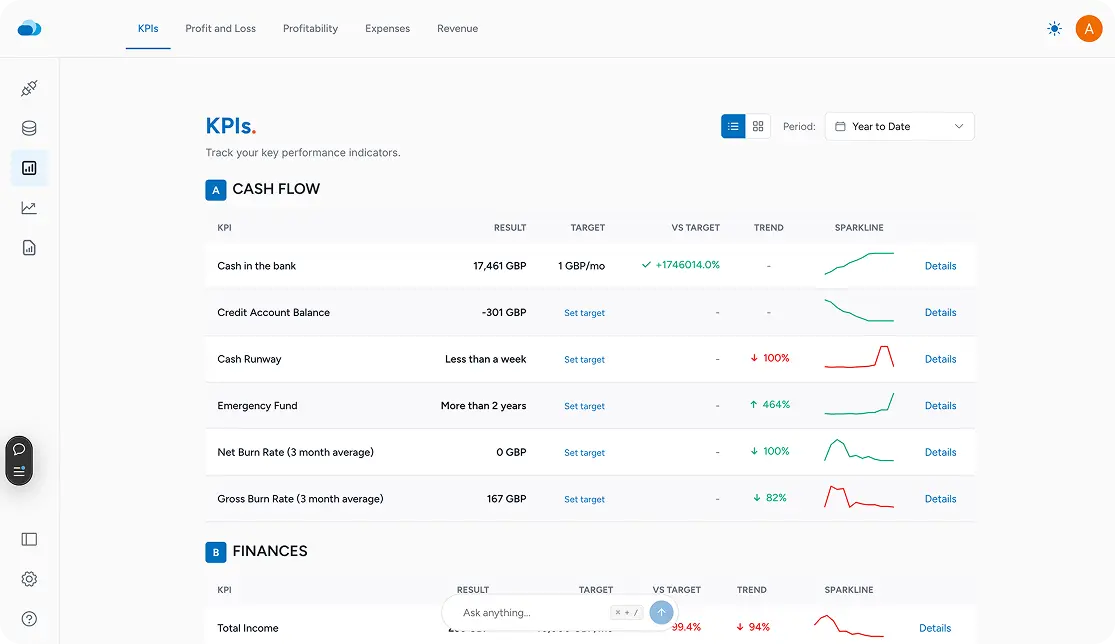
Planning value
Move from source data to a forward-looking decision workflow.
Built for action
Forecast, compare scenarios, and present the financial story clearly.
CloudFO helps you turn accounting data into a decision workflow instead of another export-and-cleanup process.
Benefit 01
Use your Xero data as the foundation for rolling cashflow forecasting and faster planning conversations.
Benefit 02
Reduce manual rework between bookkeeping, forecasting, and reporting so your team can stay focused on decisions.
Benefit 03
Test pricing, hiring, cost, or growth scenarios with a planning workspace built for financial tradeoffs.
Benefit 04
Present forecasts and scenario outcomes in a format clients and leadership teams can act on quickly.
The workflow stays simple: connect the source, review the model, and move into decision-making.
Start with the accounting system your team already uses so CloudFO has the right financial baseline.
Check the numbers in one planning workspace instead of assembling multiple files before every review.
Build forward-looking scenarios and share a clearer recommendation with the people making the decision.
CloudFO combines synced data with a planning experience designed for forecasting, scenario testing, and reporting.
Capability 01
See how timing, seasonality, and operating decisions affect runway and short-term confidence.
Capability 02
Compare best-case, base-case, and downside paths without rebuilding your model from scratch.
Capability 03
Turn financial analysis into a story stakeholders can understand and act on.
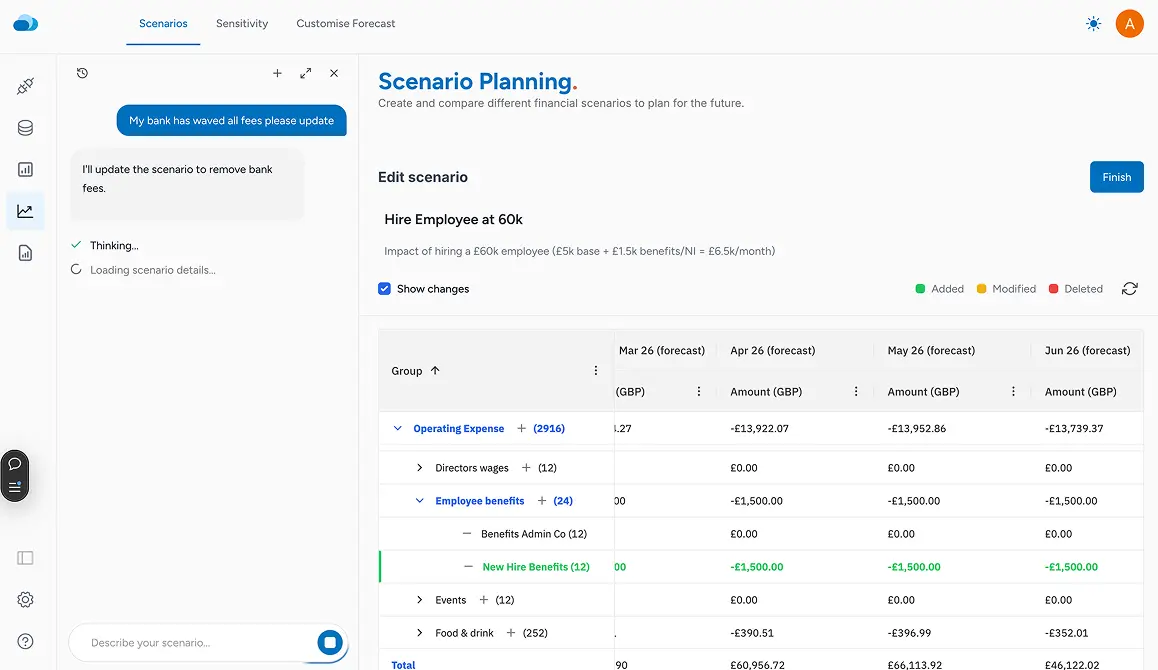
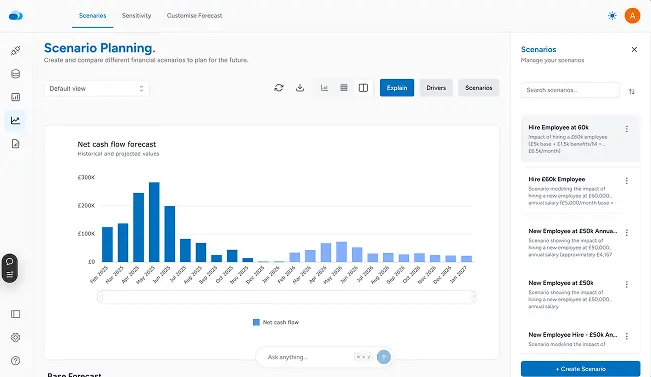
It is designed for teams that already manage financial records in Xero and want a faster way to forecast, scenario-plan, and communicate decisions in CloudFO.
Both. The page is intentionally shared because the same connection can support advisory workflows and in-house finance planning.
The next step is using that accounting context inside CloudFO for forecasting, scenario comparison, and clearer reporting outputs.
Many teams still use spreadsheets in parts of their workflow, but the goal of this integration is to reduce the manual export, cleanup, and handoff work around planning.
Ready to connect Xero?
Use the financial data you already maintain to build clearer forecasts, test scenarios, and communicate what to do next.